Why ISO Invariance Matters in Practice
Key Takeaways
- You can underexpose and recover shadows in RAW with an iso invariant camera.
- Shooting this way protects highlights and keeps noise levels low.
- Understanding camera iso and invariance helps you capture more dynamic range.
- This technique lets you push exposure by multiple stops without losing detail.
Understanding ISO Invariance Explained
Early online chatter around 2011 started a quiet revolution in how we set exposure on digital cameras.
This approach won’t fix every extreme scene, but it gives you more options. You stop worrying about exact ISO numbers and focus on the light and composition.
- Better highlight protection by underexposing
- Consistent noise behavior when brightening
- Practical for very dark foregrounds in photos
| Feature | Benefit | When to Use |
|---|---|---|
| Iso invariant sensor | Recover shadows with less penalty | High contrast scenes |
| Underexpose + boost | Protect highlights | Sunlit subjects + dark foregrounds |
| Predictable noise | Easier post workflow | Night or mixed lighting |
The Science Behind Digital Sensor Gain
Read Noise Explained
Lower read noise means more usable information in the dark parts of an image. That lets you recover shadow detail without heavy grain.
Photon Noise vs Electronic Noise
Photon noise comes from the natural randomness of light arriving at the sensor. Electronic noise — which includes read noise — comes from the sensor and circuits themselves.
When you dial a higher ISO, you use analog amplification to boost the signal before conversion. That raises both the signal and the noise floor, like turning up a volume knob.
Modern cameras have cut read noise so much that digital boosts often match analog gain for many camera models. Still, you should know how your specific sensor handles amplification and noise values to get the best range in any scene.
- Read noise = electronic interference during data conversion.
- Photon noise = randomness of light; it cannot be removed.
- Analog amplification raises both signal and the noise floor.
Why Dynamic Range Matters for Your Workflow
Dynamic range decides whether a single frame holds both bright sky and deep shadow detail. That ability shapes what you can recover in post and how you set up the shot.
- Test your camera to learn how much you can push shadows before noise hurts quality.
- Avoid relying on a high iso unless you need it for shutter speed or depth of field.
- Mastering dynamic range helps you produce more balanced, professional images.
| Action | Effect | When to Use |
|---|---|---|
| Underexpose by stops | Protects highlights; eases shadow recovery | High-contrast scenes |
| Avoid high iso | Lower noise and better highlight detail | When shutter and aperture allow |
| Test camera limits | Know how far you can push shadows | Before important shoots |
Distinguishing Between Analog and Digital Amplification
The camera sensor records photons. What happens after that is amplification — either analog or digital. That step boosts the recorded signal, but it does not create new light or more information.
The Myth of Sensor Sensitivity
People often think a higher number makes the sensor more sensitive. In reality, a higher gain is usually just analog amplification applied before conversion.
Read noise becomes critical here. When analog gain is applied, the read noise floor matters because it sets how much useful shadow detail you can recover.
- Analog gain boosts both signal and electronic noise.
- Digital gain brightens data after conversion and can hide read noise limits.
- That behavior is the core reason some cameras are iso invariant and others are not.
| Amplification Type | When Used | Effect on Shadows |
|---|---|---|
| Analog amplification | Higher camera iso or native gain | Raises signal and read noise; can limit shadow recovery |
| Digital amplification | Post-capture or in-camera digital gain | Brightens image but exposes read noise floor; useful with iso invariance |
| No extra gain | Lower camera iso; expose for highlights | Protects highlights and often yields better recoverable detail |
Identifying Invariant Sensors in Modern Cameras
Models that often perform well include the Sony A7RII, Fuji XT1, and Nikon D810. These cameras commonly show behavior that lets you underexpose and boost in RAW with predictable noise.
- Check read noise values across settings to compare sensors.
- Use signal-to-noise data to judge real dynamic range and usable shadow recovery.
- Verify how a sensor handles analog amplification and digital gain before relying on this method in the field.
| Camera | Noted Strength | When to Use |
|---|---|---|
| Sony A7RII | Low read noise at base settings | High-contrast landscape and cityscapes |
| Fuji XT1 | Good shadow recovery with modest noise | Street and low-light photography |
| Nikon D810 | Strong dynamic range; reliable sensor values | Studio and landscape work |
How to Test Your Own Camera Gear
Setting Up Your Control Shot
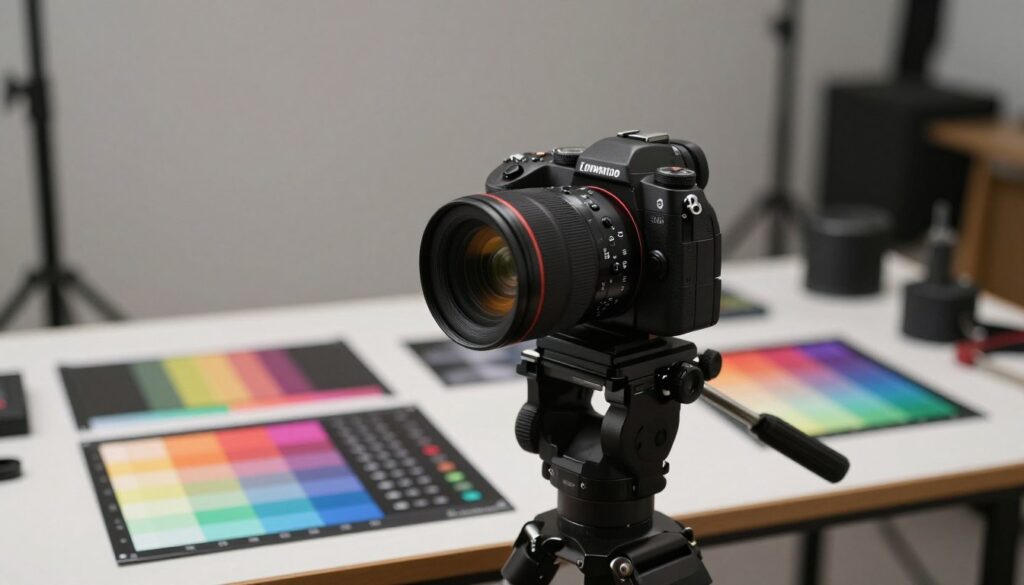
Mount your camera on a tripod and use a neutral subject such as a gray card. Set 1/50 sec, f/8, and ISO 6400 to create a noisy control frame.
Then shoot the same scene at iso 100 and at your base iso. Keep shutter and aperture identical so the only change is camera iso.
Analyzing Noise Patterns
Use Lightroom or another software tool to match exposure between shots. Brighten the ISO 100 images to the same level as the ISO 6400 control.
Look closely at shadow areas to inspect read noise and overall noise texture. If the lifted low-iso shots resemble the high-iso frame, your camera iso invariant behavior is likely strong.
- Compare side-by-side crops to judge shadow recovery and highlight safety.
- Check how the sensor and analog amplification affect final values.
Practical Benefits for Night and Astrophotography
That workflow pays off because many modern cameras handle read noise well. If your model shows low read noise, brightening low-iso frames can match the look of a shot taken at a high iso without the extra grain.
The real benefit is cleaner photos and wider usable dynamic range. Protecting highlights with careful exposure and relying on predictable digital gain or minimal analog amplification gives better final quality.
- Use an invariant camera workflow for stars and nightscapes.
- Underexpose a few stops to avoid clipping bright lights in the scene.
- Test how much you can read and recover before noise hurts the result.
Strategies for Protecting Highlight Detail
Balancing Shadows and Highlights
- Check histogram to avoid clipped highlights.
- Underexpose a stop or two when range is extreme.
- Lift shadows in RAW to recover usable detail.
- Watch for noise while brightening; dial back if texture degrades.
| Action | Why it helps | When to use |
|---|---|---|
| Expose for highlights | Preserves detail in bright areas | Sunrise, sunset, backlit scenes |
| Underexpose slightly | More headroom to recover shadows | High dynamic range scenes |
| Histogram check | Quick verification of clipped values | Any fast-changing light |
Common Pitfalls When Pushing Exposure
Test your limits at home. Shoot the same frame at iso 6400 and at low settings. Match exposures in RAW and compare the results. That shows whether your camera handles heavy recovery or if you need to use a higher iso.
Avoid extreme underexposure by more than a few stops. Big pushes can produce banding, color shifts, and odd artifacts from digital amplification. Stay near your base iso when possible and keep highlights safe.
- Tip: Get as close to correct exposure as you can.
- Tip: Know your camera values and tested dynamic range.
- Tip: Use a small boost in camera iso or brighter exposure rather than extreme RAW lifts.
Learn your model’s behavior and you’ll avoid common mistakes. That keeps your photography clean and professional, even in tough light.

The Role of Native ISO Settings
Understanding Dual Gain Architecture
Many modern cameras use a dual gain architecture to improve dynamic range. At specific native iso values the sensor switches to a second amplifier with a cleaner read path.
Avoiding Extended ISO Values
Extended iso settings often simulate brightness in software instead of applying true analog amplification. That can lower dynamic range and hurt final image quality.
- Check your manual to see which values are native and which are software-based.
- Favor native iso to minimize read noise and preserve highlight detail.
- Test your camera to learn where dual gain gives the biggest benefit.
| Setting | Effect | When to Use |
|---|---|---|
| Base / native iso | Lowest read noise; best dynamic range | Most general photography |
| Higher native iso | Optimized gain with predictable noise | When you need faster shutter or smaller aperture |
| Extended iso | Software brightening; lower usable range | Avoid unless necessary |
Essential Tools for Post-Processing Recovery
Keep software updated. New algorithms cut read noise and improve dynamic range recovery on modern cameras and sensors.
- Use specialized noise reduction that preserves detail.
- Pair global adjustments with local masks for natural results.
- Compare outputs from different software on your camera files.
| Tool | Primary Benefit | When to Use |
|---|---|---|
| Raw editor (Lightroom/Camera Raw) | Exposure recovery, local masks | First-pass corrections and highlight protection |
| Dedicated noise reducer (Topaz Denoise, DxO) | Lower read noise while preserving detail | Heavy shadow lifts and high-contrast shots |
| Masking / blend tools (Photoshop) | Targeted corrections; fine-grain control | Selective brightening and color cleanup |
Conclusion
Balancing read knowledge and hands-on practice helps you tame noise and extend usable dynamic range. Do this and your images will show better detail, color, and overall quality.

The GBI LensLab Editorial Team publishes informational guides about cameras, lenses, image sensors, photography workflows, camera maintenance and digital imaging technology. Technical specifications are checked against manufacturer documentation and other appropriate primary sources when available.