Megapixel count matters for professional photography, but it does not define image quality on its own. More pixels can preserve finer detail, support larger prints and leave more room for cropping. Those benefits depend on the lens, exposure, focus and intended output.
A higher number is not a guarantee of a better photograph. Sensor performance, lighting, color processing and motion control also affect the result. The useful question is how much resolution remains after editing—and whether the finished image needs it.
Start with the finished image, not the specification sheet
A photograph delivered as a small web image has different resolution requirements from a detailed print inspected at close range. Before comparing camera bodies, identify the largest required output, the expected viewing distance and how much cropping is likely.
Next, consider what currently limits usable detail. If the problem is missed focus, subject movement or a lens that is soft at the chosen aperture, extra pixels alone will not solve it. If sharp photographs repeatedly fall short of the required output dimensions after cropping, higher resolution has a clearer purpose.
A practical comparison should include both full-resolution inspection and images resized to the same output dimensions. At the same pixel-level magnification, a higher-resolution photograph is displayed at a greater overall enlargement. That makes 100% views useful for inspecting files, but insufficient for judging how two photographs will compare in the same-sized print.
Decision rule: Choose enough resolution for the intended output and cropping allowance, then weigh the benefits against the rest of the camera system and workflow.
The examples below explain how to calculate resolution, distinguish sensor size from pixel count, estimate print requirements and account for larger files. The older camera specifications are numerical examples, not current buying recommendations.
Key Takeaways
- Megapixels describe pixel count, not a complete measure of image quality.
- Higher resolution is especially useful for detailed prints and substantial cropping.
- Lens performance, accurate focus and sufficient exposure determine how much detail is usable.
- Compare noise and sharpness at the same output size, not only at 100% magnification.
- Printing needs, delivery specifications and workflow capacity should guide camera choice.
Understanding the Basics of Megapixels
A megapixel equals one million pixels. In an image file, pixels form a grid of picture elements. The grid’s width and height determine its total pixel count, but that count does not tell you how much distinct scene detail the photograph actually resolves.
Defining the Megapixel
Multiply the horizontal pixel count by the vertical pixel count, then divide by one million. For example, a 6000 × 4000-pixel image contains 24 million pixels, or 24 MP. A camera’s advertised effective-pixel count and its saved image dimensions can differ slightly; use the actual file dimensions for printing and cropping calculations.
How Resolution Is Calculated
As a historical example, Nikon lists the COOLPIX L6 with a 2816 × 2112-pixel image setting. Multiplying those dimensions gives 5,947,392 pixels, or approximately 5.95 MP—consistent with its rounded 6 MP designation.
Pixel count measures area, not just width. At the same aspect ratio, moving from 24 MP to 48 MP doubles the number of pixels but increases the pixel dimensions along each edge by only about 41%. Doubling both width and height requires four times as many pixels. This is why a doubling of megapixels does not double the possible print width at a fixed pixel density.
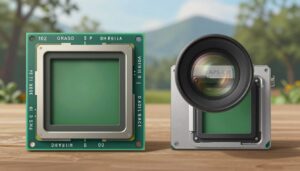
Useful distinction: Megapixels describe how many pixels make up the image. Sensor dimensions describe the physical area used to capture light.
- Megapixels: width in pixels × height in pixels ÷ 1,000,000.
- Print dimensions: pixels along an edge ÷ the intended pixels per inch.
- Sensor dimensions: physical width and height, normally expressed in millimeters.
Do Megapixels Matter for Image Quality?
Yes, but the improvement must survive the entire imaging process. Finer sampling can capture additional detail when the lens delivers it and focus and exposure are suitable. Edmund Optics’ explanation of camera resolution describes how the sensor and optics contribute to overall system performance. Pixel count alone does not establish color accuracy, dynamic range or the quality of the lighting.
The older Nikon D700 provides a useful numerical example. Nikon specifies 12.1 effective megapixels and a maximum FX image size of 4256 × 2832 pixels. Without cropping or resampling, those dimensions correspond to approximately 14.2 × 9.4 inches at 300 pixels per inch. Larger prints are possible at lower pixel densities; their suitability depends on the image and viewing conditions.
At small display sizes, differences between camera resolutions may be difficult to see because both files are reduced to similar dimensions. Print size and viewing distance also matter: a difference visible in a close inspection may contribute little when the photograph is viewed from across a room. Subject detail, contrast and eyesight affect that judgment.
- Sensor design and processing influence noise, tonal range and color reproduction.
- Optics and technique determine whether fine detail reaches the sensor clearly.
- Output requirements determine whether additional captured detail is useful.
Compare like with like: Evaluate photographs at the same displayed or printed size, with comparable processing, before deciding that one resolution looks better.
The Role of Sensor Size and Photosite Area
Sensor size and pixel count are related, but they are not interchangeable. At the same pixel count and aspect ratio, a physically larger sensor generally provides more area per photosite—the light-sensitive sampling site associated with a sensor pixel. At the same exposure per unit area, a larger active sensor area also receives more light in total. Neither statement means that every larger-sensor camera will outperform every smaller-sensor camera.
The Impact of Photosite Size
Dividing the active sensor width by the number of pixel columns estimates pixel pitch, the spacing between neighboring pixels. For a hypothetical 36 mm-wide sensor with 6000 columns, the pitch is 0.006 mm, or 6 micrometers. With square pixels, that corresponds to a footprint of approximately 36 square micrometers per pixel. The footprint is not necessarily all light-sensitive area.
Larger light-sensitive sites can collect more photons per site under otherwise comparable conditions. However, size alone does not establish how efficiently light is converted into an electrical signal. Basler’s image-quality guide identifies quantum efficiency, noise, dynamic range, exposure and optics as additional factors. A larger pixel does not automatically guarantee better color or a cleaner finished photograph.
Signal-to-Noise Ratio
Signal-to-noise ratio describes the strength of the useful image signal relative to unwanted variation. Noise is not a single fixed background quantity: Basler distinguishes photon shot noise, read noise and other sensor-related noise sources. Collecting more light generally improves the signal relative to photon shot noise, provided the sensor is not driven into saturation.
With lighting, aperture and exposure time unchanged, raising ISO does not collect additional photons. Its effect on gain and image brightness depends on the camera. Gain amplifies the recorded signal; it is not a substitute for light reaching the sensor. Automatic exposure settings may change the aperture or shutter speed when ISO changes, so those settings must also be considered when comparing photographs.
Similarly, do not assume that smaller pixels mean a noisier finished image. A pixel-level view and a same-sized print are different comparisons. Assess noise and retained detail after resizing both images to the intended output, with comparable sharpening and noise reduction.
Important limitation: Neither megapixel count nor photosite size alone can predict a camera’s low-light performance or dynamic range.
- Compare cameras at equivalent output sizes and with comparable exposure and processing.
- Consider sensor design and efficiency as well as physical size.
- Do not treat DSLR, mirrorless or compact construction as a direct measure of sensor quality.
Why Lens Quality Matters Alongside Resolution
The lens and sensor work together to resolve detail. As Edmund Optics explains in its sensor-and-lens guide, diffraction and lens aberrations affect how much contrast remains in fine features. A lens with soft corners or weak fine-detail contrast can limit the benefit of extra pixels. Missed focus and movement during the exposure can impose further limits.
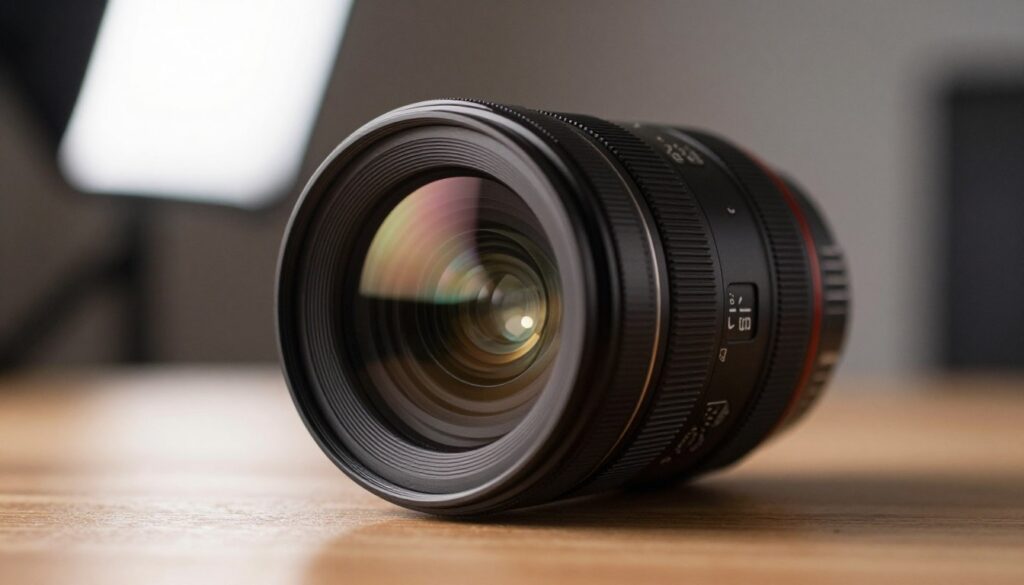
A lens does not have one universal megapixel limit independent of the camera and shooting conditions. Its performance varies with focal length, aperture and position in the frame. Finer sensor sampling may still improve results with imperfect optics, but the improvement can be smaller than the difference in advertised pixel counts suggests.
Diffraction and Sharpness
Diffraction spreads light passing through an aperture. As explained in Edmund Optics’ diffraction guide, the diffraction pattern grows as the f-number increases, for a given wavelength. At sufficiently small apertures, this reduces fine-detail contrast even with a well-corrected lens.
Smaller pixels can reveal this softening more clearly at pixel-level magnification, but adding pixels does not itself increase optical diffraction. Stopping down also increases depth of field and can reduce some lens aberrations. The useful aperture therefore depends on how much of the subject must be acceptably sharp, not just the maximum sharpness at one focus distance.
Before upgrading: Check focus, shutter speed and aperture. More pixels cannot reliably reconstruct detail lost to substantial defocus or motion blur.
- Compare lens performance at the focal lengths and apertures actually required.
- Use sharpening to improve presentation, not as proof that missing detail has been recovered.
- Judge the complete lens-and-camera combination rather than price labels or megapixels alone.
Practical Considerations for Printing and Cropping
Print planning starts with the image’s pixel dimensions after cropping. Divide each dimension by the intended pixels per inch, or PPI, to calculate print size. Adobe distinguishes image PPI from printer DPI: PPI describes image sampling, while DPI describes the printer’s dot resolution. The two numbers are not interchangeable.
Around 300 PPI is a common target for detailed prints viewed closely, but it is not a universal minimum. Adobe’s print-resolution guidance notes that larger prints viewed from farther away can use lower pixel densities. Ask the print provider for its requirements, including any cropping or bleed allowance.
| Print size | Pixels required at 300 PPI | Pixel count after cropping |
|---|---|---|
| 8 × 10 inches | 2400 × 3000 | 7.2 MP |
| 12 × 18 inches | 3600 × 5400 | 19.44 MP |
| 16 × 24 inches | 4800 × 7200 | 34.56 MP |
| 20 × 30 inches | 6000 × 9000 | 54 MP |
These figures assume no upscaling and a matching aspect ratio. For example, an approximately 20 MP image measuring 5472 × 3648 pixels provides an 18 × 12-inch print at 304 PPI. A 24 MP file measuring 6000 × 4000 pixels provides a 30 × 20-inch print at 200 PPI—not 300 PPI.
Aspect ratio can use up part of the cropping allowance before any creative reframing. Filling a 10 × 8-inch print from a 6000 × 4000-pixel image, without stretching it, requires a 5:4 crop. The largest such crop is 5000 × 4000 pixels, or 20 MP. Keeping the entire 3:2 image instead would require borders or a different print shape.
Screen requirements are different. A 3840 × 2160-pixel UHD display has approximately 8.29 million display pixels. A photograph fitted entirely on that screen occupies no more than that number, and often fewer because of aspect ratio or interface space. Higher-resolution originals still help with cropping, zooming and other outputs; the screen’s pixel count is not a universal camera-resolution target.
- Calculate requirements from the final crop, not the camera’s advertised pixel count.
- Check both edge dimensions; a sufficient total pixel count does not guarantee the required image shape.
- For demanding enlargements, assess a representative print section at the intended scale and viewing distance.
PPI is not extra detail: Changing a file’s resolution setting without resampling does not add pixels. Upscaling creates additional pixels, but does not guarantee recovery of the scene’s original fine detail.
Managing Storage and Workflow Demands
Higher-resolution photographs generally require more storage and processing resources when other settings are comparable. However, megapixels do not translate directly into a fixed file size: RAW compression, bit depth, image content and file format also matter. File size in megabytes is not the same measurement as image size in megapixels.
Use actual sample-file sizes for planning. In a hypothetical example, 10,000 files averaging 50 MB each occupy about 500 GB in decimal units. Keeping a working copy and two complete backup copies would require about 1.5 TB before adding previews, edited files, exports or version history. This is a capacity estimate, not a complete backup plan.

Editing demands extend beyond the size of the original RAW file. Layered documents, masks, previews and temporary working data also consume resources. Adobe’s performance guidance explains how image dimensions, bit depth, layers and available memory affect Photoshop’s performance and disk-space needs.
The practical slowdown depends on the computer and the operations involved. Importing, building previews, denoising, retouching and exporting may have different bottlenecks. Evaluate a representative batch of files using the intended editing steps rather than assuming that doubling megapixels will double every processing time.
Workflow calculation: Average file size × number of retained images × number of complete copies gives a starting storage estimate. Add separate allowances for edits, previews and temporary files.
- Check representative RAW sizes rather than estimating storage from megapixels alone.
- Consider lossless RAW compression where the camera and editing software support it.
- Include transfer time, backups and batch exports when comparing resolution options.
When High Resolution Becomes a Necessity
High capture resolution becomes important when the required final dimensions cannot be met after cropping without unacceptable enlargement. Examples include detailed reproductions, large prints inspected closely and layouts that require small portions of a frame to remain printable. The requirement comes from the deliverable, not simply the photography genre.
Flexibility in Post-Production
The older Nikon D800 illustrates the difference between advertised sensor resolution and usable crop dimensions. Nikon specifies 36.3 effective megapixels, a full-size FX output of 7360 × 4912 pixels and a DX output of 4800 × 3200 pixels. The DX output contains 15.36 MP. For a particular camera mode, these actual dimensions are more useful than an estimate based on a rounded crop factor.
Cropping calculations must distinguish area from edge length. Retaining half the original image area retains half the pixels. Retaining half the width and half the height keeps only one quarter of the pixels. Thus, a hypothetical 80 MP image becomes 40 MP in the first case and 20 MP in the second.
Likewise, removing 80% of a 40 MP image’s area leaves 8 MP; retaining 80% leaves 32 MP. For an exact 1.5× linear crop—retaining 1/1.5 of the original width and height—divide the original pixel count by 1.5², or 2.25. A 45 MP image then leaves 20 MP. This describes a crop of the existing image, not an increase in lens magnification.
Plan backward from delivery: Required starting megapixels = required final megapixels ÷ fraction of original image area retained. If the final crop needs 20 MP and half the original area will remain, start with at least 40 MP, with enough pixels along both required edges.
For a worked print example, a 16 × 24-inch image at 300 PPI requires 34.56 MP after cropping. If the planned crop retains 75% of the original area, the starting requirement is 34.56 ÷ 0.75 = 46.08 MP, assuming compatible proportions and no upscaling. This turns a vague desire for more resolution into a specific requirement. Before changing cameras, also check whether different framing or an agreed lower print PPI would meet the brief.
- Extra pixels can support several differently framed outputs from one capture.
- Cropping discards pixels; higher resolution provides an allowance rather than eliminating that loss.
- More megapixels do not automatically provide greater exposure latitude or make aggressive editing harmless.
Conclusion
Megapixels matter when the finished photograph needs them. Calculate the required pixel dimensions, allow for cropping and consider viewing distance. That establishes a useful resolution target instead of treating the largest available number as the default choice.
Then evaluate the complete system: lens performance, sensor quality, autofocus, exposure control and editing capacity. If the existing resolution already meets the output requirements, better lighting, more accurate focus or a more suitable lens may address the real limitation. If sharp final crops consistently lack sufficient pixels, higher capture resolution has a specific, measurable benefit.
FAQ
Does megapixel count really matter for professional photography?
Yes, when delivery requirements call for substantial detail, large close-viewed prints or tight crops. There is no single megapixel threshold that makes a camera professional. Start with the final dimensions, then consider whether the lens, focus and exposure can provide useful detail at that resolution.
What is a megapixel?
A megapixel is one million pixels. It describes a quantity of picture elements, not an overall image-quality score. Higher pixel counts offer more potential detail, but do not independently guarantee better color, dynamic range or low-light performance.
How is resolution calculated?
Multiply image width by image height in pixels, then divide by one million. A 6000 × 4000-pixel image contains 24 MP. For print calculations, use the dimensions remaining after cropping rather than the original camera specification.
Do higher pixel counts improve image quality?
They can improve recorded detail when lens performance, focus and exposure support it. Whether that improvement is visible depends on output size and cropping. Compare photographs at the same final dimensions, with comparable processing, rather than judging individual pixels alone.
How does sensor size affect image detail?
Sensor size influences total light collection and, at a given pixel count and aspect ratio, pixel pitch. It does not directly determine the number of pixels in the final file. Cameras with different sensor sizes can produce identical pixel dimensions while differing in noise and optical performance.
What is photosite area and why is it important?
It is the light-sensitive area associated with a sensor sampling site. Larger sites can collect more light per site under comparable conditions. Pixel pitch measures spacing, not area; neither measurement alone establishes conversion efficiency or final-image quality.
How does signal-to-noise ratio relate to pixel count?
Signal-to-noise ratio compares useful image signal with unwanted variation. Pixel count alone cannot predict it. Exposure, sensor efficiency, read noise and processing matter, and per-pixel comparisons should not replace an assessment at the intended display or print size.
How do lens quality and resolution work together?
The lens forms the image that the sensor samples. If aberrations, poor focus or low contrast obscure detail, more pixels cannot provide the full expected improvement. Lens performance varies across the frame and with aperture and focal length, so there is no single universal lens megapixel limit.
What is diffraction and how does it affect sharpness?
Diffraction spreads light passing through an aperture. Its effect on fine-detail contrast increases as the f-number rises, for a given wavelength. Smaller pixels can make it more apparent at pixel-level magnification, but do not cause more diffraction. Balance sharpness against the depth of field the subject requires.
How many pixels do I need for printing?
Multiply each print dimension in inches by the target PPI. An 8 × 10-inch print at 300 PPI needs 2400 × 3000 pixels, or 7.2 MP after cropping. A 6000 × 4000-pixel file makes a 20 × 13.3-inch print at 300 PPI or a 30 × 20-inch print at 200 PPI.
Does higher resolution affect cropping flexibility?
Yes. More starting pixels allow a tighter crop while retaining a given output size. The loss follows area: keeping half the width and half the height retains only one quarter of the original pixels. A 40 MP file becomes 10 MP with that crop.
How does resolution impact storage and workflow?
Higher resolution generally increases storage, memory and processing requirements when other settings are comparable. Actual file size also depends on format, compression and bit depth. Estimate requirements using representative files, and include backups, previews, layered edits and exports.
When is high resolution necessary?
When the required detail or final pixel dimensions cannot otherwise be met after cropping. Close-viewed enlargements and detailed reproduction are examples. Physical print size alone is not enough to decide: a distant-viewed billboard may need lower pixel density than a much smaller print inspected closely.
How does high resolution affect post-production flexibility?
It provides more room for cropping, working on fine features and generating different output sizes. It does not make files immune to excessive sharpening or noise reduction. Highlight recovery and shadow latitude depend on captured exposure and sensor performance, not pixel count alone.
What other factors should I consider besides pixel count?
Consider available lenses, sensor performance, autofocus, stabilization, handling and workflow demands. Match those features to the subjects and delivery requirements. Prioritize the limitation that prevents a usable finished image rather than paying for resolution the output does not require.
Official sources
Technical specifications in this article were checked against manufacturer or official documentation where available.

The GBI LensLab Editorial Team publishes informational guides about cameras, lenses, image sensors, photography workflows, camera maintenance and digital imaging technology. Technical specifications are checked against manufacturer documentation and other appropriate primary sources when available.