Understanding ISO Invariance: How to Maximize Your Camera’s Dynamic Range

ISO invariance explained

I’ve spent years testing how sensors handle light so you can get better results in tough scenes.

In this short guide I show how an iso invariant camera can let you underexpose and still pull shadow detail in RAW. That approach protects your highlights while keeping noise similar to a well-exposed shot.

What made ISO invariance finally click for me in practice

When I first learned about ISO invariance, it sounded almost too good to be true—just underexpose and fix everything later. But in my own tests, I realized it’s not a magic solution, it’s a tool that works best in specific situations. During a sunset shoot, I deliberately underexposed to protect the highlights, and later recovered the shadows in RAW. The result was surprisingly clean, but only because I stayed within a reasonable range. That’s when I understood that this technique depends heavily on knowing your camera’s limits, not just applying a rule blindly

From my experience, the biggest mistake is pushing exposure too far in post and expecting perfect results. Even with a capable sensor, extreme adjustments can introduce noise or color shifts. I now treat ISO invariance as a way to gain flexibility, not as a replacement for proper exposure. What helped me most was testing different scenes and learning when it actually improves the final image.

If I could give one practical tip, it would be to run simple tests with your own camera before relying on this method in important shoots. Try underexposing by one or two stops and compare how far you can recover shadows without degrading quality. This gives you a clear boundary and helps you use the technique with confidence instead of guesswork.

In my case, ISO invariance became useful only after I stopped treating it as a shortcut and started understanding where it actually works.

When you shoot RAW, you keep the information needed to push exposure by several stops and retain fine detail. I’ll walk you through the basics of camera iso behavior, how to use an invariant camera, and when this method brings the biggest benefit.

This helps photographers handle high contrast light, avoid clipped highlights, and improve final image quality. My goal is to make these technical ideas practical and easy to use on your next shoot.

Key Takeaways

  • You can underexpose and recover shadows in RAW with an iso invariant camera.
  • Shooting this way protects highlights and keeps noise levels low.
  • Understanding camera iso and invariance helps you capture more dynamic range.
  • This technique lets you push exposure by multiple stops without losing detail.
  • I’ll show practical steps to use these ideas in real photography situations.

Understanding ISO Invariance Explained

Early online chatter around 2011 started a quiet revolution in how we set exposure on digital cameras.

I get asked for an ISO invariance explained guide a lot because the terms confuse many photographers. In short, an iso invariant sensor captures data that you can brighten in post without changing highlight clipping.

When you shoot with an iso invariant camera, you can underexpose to protect bright areas and later lift shadow detail. My tests show the pattern of noise stays predictable even after heavy recovery.

This approach won’t fix every extreme scene, but it gives you more options. You stop worrying about exact ISO numbers and focus on the light and composition.

  • Better highlight protection by underexposing
  • Consistent noise behavior when brightening
  • Practical for very dark foregrounds in photos
FeatureBenefitWhen to Use
Iso invariant sensorRecover shadows with less penaltyHigh contrast scenes
Underexpose + boostProtect highlightsSunlit subjects + dark foregrounds
Predictable noiseEasier post workflowNight or mixed lighting

The Science Behind Digital Sensor Gain

The hidden math inside your camera sensor shapes how much usable data you can capture in a tough scene. I want you to see the two main players that decide whether shadows survive editing.

Read Noise Explained

Read noise is the electrical interference generated when your camera reads the sensor and turns charge into numbers. I test cameras by measuring read values at low exposures to see how visible this noise becomes.

Lower read noise means more usable information in the dark parts of an image. That lets you recover shadow detail without heavy grain.

Photon Noise vs Electronic Noise

Photon noise comes from the natural randomness of light arriving at the sensor. Electronic noise — which includes read noise — comes from the sensor and circuits themselves.

When you dial a higher ISO, you use analog amplification to boost the signal before conversion. That raises both the signal and the noise floor, like turning up a volume knob.

Modern cameras have cut read noise so much that digital boosts often match analog gain for many camera models. Still, you should know how your specific sensor handles amplification and noise values to get the best range in any scene.

  • Read noise = electronic interference during data conversion.
  • Photon noise = randomness of light; it cannot be removed.
  • Analog amplification raises both signal and the noise floor.

Why Dynamic Range Matters for Your Workflow

Dynamic range decides whether a single frame holds both bright sky and deep shadow detail. That ability shapes what you can recover in post and how you set up the shot.

I’ve found that using higher iso settings can sometimes reduce usable range. For many cameras, iso invariance gives you a practical work-around: underexpose to save highlights, then lift shadows in RAW without huge penalty in noise.

My go-to is to underexpose by a few stops when the scene has strong contrast. This protects bright areas and keeps highlight clipping to a minimum. It’s a clear benefit when you need clean detail across the frame.

  • Test your camera to learn how much you can push shadows before noise hurts quality.
  • Avoid relying on a high iso unless you need it for shutter speed or depth of field.
  • Mastering dynamic range helps you produce more balanced, professional images.
ActionEffectWhen to Use
Underexpose by stopsProtects highlights; eases shadow recoveryHigh-contrast scenes
Avoid high isoLower noise and better highlight detailWhen shutter and aperture allow
Test camera limitsKnow how far you can push shadowsBefore important shoots

Distinguishing Between Analog and Digital Amplification

Many photographers confuse gain with true sensor sensitivity when they change exposure. I want to clear that up so you can make smarter choices in the field.

The camera sensor records photons. What happens after that is amplification — either analog or digital. That step boosts the recorded signal, but it does not create new light or more information.

The Myth of Sensor Sensitivity

People often think a higher number makes the sensor more sensitive. In reality, a higher gain is usually just analog amplification applied before conversion.

Read noise becomes critical here. When analog gain is applied, the read noise floor matters because it sets how much useful shadow detail you can recover.

  • Analog gain boosts both signal and electronic noise.
  • Digital gain brightens data after conversion and can hide read noise limits.
  • That behavior is the core reason some cameras are iso invariant and others are not.
Amplification TypeWhen UsedEffect on Shadows
Analog amplificationHigher camera iso or native gainRaises signal and read noise; can limit shadow recovery
Digital amplificationPost-capture or in-camera digital gainBrightens image but exposes read noise floor; useful with iso invariance
No extra gainLower camera iso; expose for highlightsProtects highlights and often yields better recoverable detail

In my tests, staying at a lower camera iso and lifting shadows in RAW often wins. You keep highlights safe and manage read noise more predictably. Focus on the signal, not the myth, and your images will show the benefit.

Identifying Invariant Sensors in Modern Cameras

I test sensors regularly to find which modern models handle low light and heavy recovery best. For me, measured read noise and the signal-to-noise ratio make the difference between a usable image and a noisy mess.

I rely on the Photon to Photos PDR Shadow chart to check each camera’s real performance. That chart shows how much shadow you can pull before read noise spoils the result.

Models that often perform well include the Sony A7RII, Fuji XT1, and Nikon D810. These cameras commonly show behavior that lets you underexpose and boost in RAW with predictable noise.

  • Check read noise values across settings to compare sensors.
  • Use signal-to-noise data to judge real dynamic range and usable shadow recovery.
  • Verify how a sensor handles analog amplification and digital gain before relying on this method in the field.
CameraNoted StrengthWhen to Use
Sony A7RIILow read noise at base settingsHigh-contrast landscape and cityscapes
Fuji XT1Good shadow recovery with modest noiseStreet and low-light photography
Nikon D810Strong dynamic range; reliable sensor valuesStudio and landscape work

How to Test Your Own Camera Gear

You don’t need lab gear to learn how your camera behaves. I run a few simple, repeatable shots to see if an iso invariant camera workflow will help my photos.

Setting Up Your Control Shot

Mount your camera on a tripod and use a neutral subject such as a gray card. Set 1/50 sec, f/8, and ISO 6400 to create a noisy control frame.

Then shoot the same scene at iso 100 and at your base iso. Keep shutter and aperture identical so the only change is camera iso.
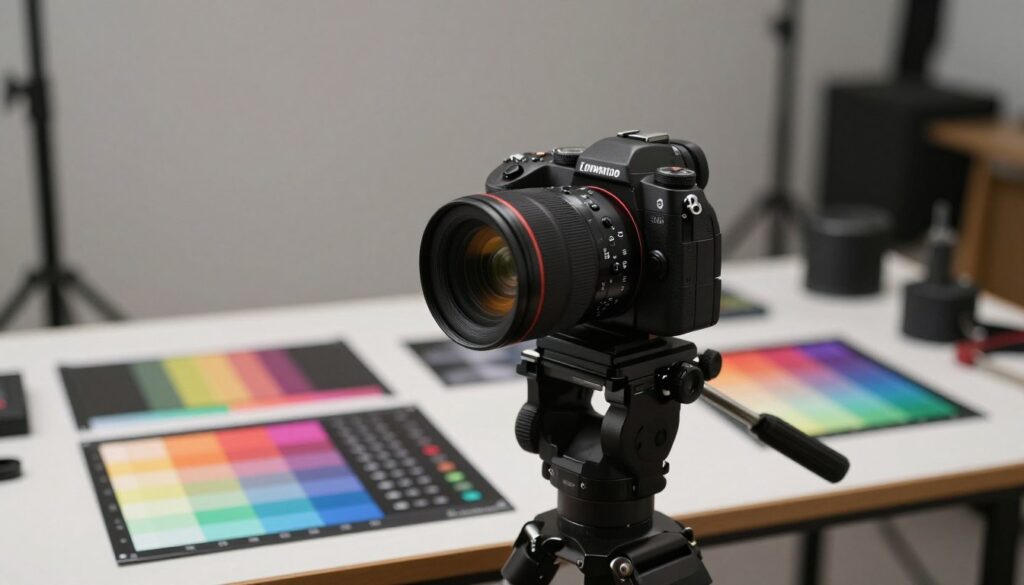
A focused arrangement showcasing an iso invariant camera in a professional setting. In the foreground, the camera is mounted on a sturdy tripod, set against a neutral backdrop to emphasize its features. The middle ground captures an array of test charts and color gradients on a table, demonstrating dynamic range testing. Soft, diffused lighting illuminates the scene, creating subtle reflections on the camera's surface and highlighting its sleek design. The background is a blurred photography studio, hinting at various gear and accessories, conveying a sense of a working environment. The mood is analytical and professional, inviting viewers to explore the technical aspects of photography and image quality.

Analyzing Noise Patterns

Use Lightroom or another software tool to match exposure between shots. Brighten the ISO 100 images to the same level as the ISO 6400 control.

Look closely at shadow areas to inspect read noise and overall noise texture. If the lifted low-iso shots resemble the high-iso frame, your camera iso invariant behavior is likely strong.

  • I always test with a tripod so movement isn’t a variable.
  • Compare side-by-side crops to judge shadow recovery and highlight safety.
  • Check how the sensor and analog amplification affect final values.

Practical Benefits for Night and Astrophotography

Long exposures and tiny highlights make astrophotography a perfect test for sensor behavior. I rely on an iso invariant camera approach when I shoot the Milky Way to protect bright stars while preserving faint sky detail.

Shooting at iso 100 and underexposing by a few stops lets me keep the brightest points from clipping. Later, I lift shadows in RAW so the final image holds both stars and horizon detail.

See also  Micro Four Thirds vs. Full Frame: Which Sensor Size is Best for Travel?

That workflow pays off because many modern cameras handle read noise well. If your model shows low read noise, brightening low-iso frames can match the look of a shot taken at a high iso without the extra grain.

The real benefit is cleaner photos and wider usable dynamic range. Protecting highlights with careful exposure and relying on predictable digital gain or minimal analog amplification gives better final quality.

  • Use an invariant camera workflow for stars and nightscapes.
  • Underexpose a few stops to avoid clipping bright lights in the scene.
  • Test how much you can read and recover before noise hurts the result.

Strategies for Protecting Highlight Detail

Protecting bright areas is the single most useful habit I adopted for high-contrast landscape work. I set exposure to avoid clipping the brightest parts first, then recover shadows in RAW.

Balancing Shadows and Highlights

I often underexpose slightly so the camera keeps highlight detail. That leaves enough data to lift the darker areas later without introducing heavy noise.

My workflow starts with a quick histogram check. I make sure the right side doesn’t touch the edge.

When the light shifts fast at sunrise or sunset, I expose for highlights and accept darker shadows. In post, I brighten selectively so the final image looks natural.

  • Check histogram to avoid clipped highlights.
  • Underexpose a stop or two when range is extreme.
  • Lift shadows in RAW to recover usable detail.
  • Watch for noise while brightening; dial back if texture degrades.
ActionWhy it helpsWhen to use
Expose for highlightsPreserves detail in bright areasSunrise, sunset, backlit scenes
Underexpose slightlyMore headroom to recover shadowsHigh dynamic range scenes
Histogram checkQuick verification of clipped valuesAny fast-changing light

Common Pitfalls When Pushing Exposure

Pushing exposure beyond what your sensor can handle is a fast way to introduce ugly artifacts. I warn people because one bad recovery can spoil a whole image.

Even with an iso invariant camera, brightening heavy underexposure brings visible noise. I’ve seen shots shot at iso 100 that were so dark they became unusable after a big lift.

Test your limits at home. Shoot the same frame at iso 6400 and at low settings. Match exposures in RAW and compare the results. That shows whether your camera handles heavy recovery or if you need to use a higher iso.

Avoid extreme underexposure by more than a few stops. Big pushes can produce banding, color shifts, and odd artifacts from digital amplification. Stay near your base iso when possible and keep highlights safe.

  • Tip: Get as close to correct exposure as you can.
  • Tip: Know your camera values and tested dynamic range.
  • Tip: Use a small boost in camera iso or brighter exposure rather than extreme RAW lifts.

Learn your model’s behavior and you’ll avoid common mistakes. That keeps your photography clean and professional, even in tough light.
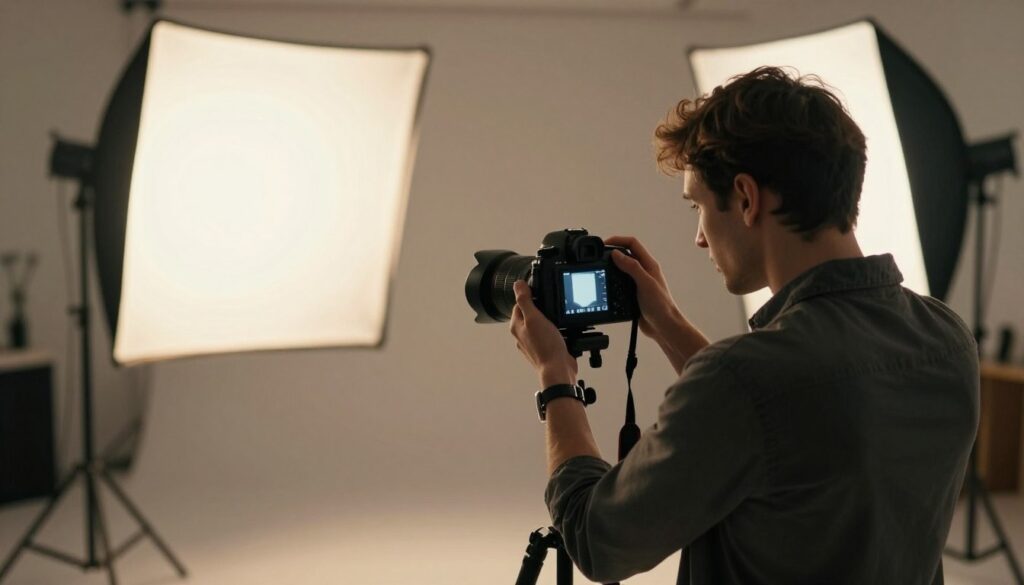
A photography studio scene illustrating common pitfalls of pushing exposure. In the foreground, a professional photographer, dressed in smart casual attire, adjusts the settings on a DSLR camera, focusing intently on the display screen, which shows incorrectly exposed images – some overexposed and others too dark. In the middle ground, various photographic equipment, including tripods and light reflectors, are scattered around, hinting at the complexities of proper exposure techniques. The background consists of a large controlled lighting setup with softboxes casting a warm glow, creating a mood of concentration and learning. The scene is well-composed, emphasizing the importance of lighting and exposure in photography. The atmosphere feels educational and immersive, suitable for those looking to enhance their understanding of dynamic range in photography.

The Role of Native ISO Settings

Knowing which native sensitivity points your camera uses can change how you expose every shot. I focus on the sensor’s optimized points because they give the cleanest signal and best image quality.

Understanding Dual Gain Architecture

Many modern cameras use a dual gain architecture to improve dynamic range. At specific native iso values the sensor switches to a second amplifier with a cleaner read path.

Use the camera’s base iso and the other native values like iso 100 or iso 800 when possible. I find these points deliver lower read noise and a stronger signal for recovery after exposure.

“Choosing the sensor’s native points keeps the signal clean and reduces surprises when you push shadows in post.”

Avoiding Extended ISO Values

Extended iso settings often simulate brightness in software instead of applying true analog amplification. That can lower dynamic range and hurt final image quality.

I recommend using higher iso values only when they are native to the camera. For example, pick a native higher step rather than relying on an extended boost or extreme underexposure at iso 6400.

  • Check your manual to see which values are native and which are software-based.
  • Favor native iso to minimize read noise and preserve highlight detail.
  • Test your camera to learn where dual gain gives the biggest benefit.
SettingEffectWhen to Use
Base / native isoLowest read noise; best dynamic rangeMost general photography
Higher native isoOptimized gain with predictable noiseWhen you need faster shutter or smaller aperture
Extended isoSoftware brightening; lower usable rangeAvoid unless necessary

Essential Tools for Post-Processing Recovery

I rely on smart noise reduction to rescue shadow detail after I underexpose to protect bright areas. This step is central when I work with an iso invariance workflow and want clean results.

My toolkit blends a raw editor, dedicated noise software, and selective masking. The combination helps me separate true signal from noise and preserve texture in dark tones.

Keep software updated. New algorithms cut read noise and improve dynamic range recovery on modern cameras and sensors.

I test multiple programs to see which handles my camera files best. That testing shows which values and amplification methods produce the most usable image data.

  • Use specialized noise reduction that preserves detail.
  • Pair global adjustments with local masks for natural results.
  • Compare outputs from different software on your camera files.
ToolPrimary BenefitWhen to Use
Raw editor (Lightroom/Camera Raw)Exposure recovery, local masksFirst-pass corrections and highlight protection
Dedicated noise reducer (Topaz Denoise, DxO)Lower read noise while preserving detailHeavy shadow lifts and high-contrast shots
Masking / blend tools (Photoshop)Targeted corrections; fine-grain controlSelective brightening and color cleanup

Conclusion

When you learn how read noise behaves, your exposure choices become clearer and safer. I want you to feel confident using this approach to protect highlights and recover shadow detail.

I recommend a strong, practical habit: expose to save bright areas, then lift carefully in RAW. Test your camera and sensor values so you know the limits before a shoot.

Balancing read knowledge and hands-on practice helps you tame noise and extend usable dynamic range. Do this and your images will show better detail, color, and overall quality.

I hope this guide helps you get more from each shot. Keep testing, keep practicing, and trust your results.

FAQ

What does camera iso invariant mean and why should I care?

A camera described as iso invariant lets me underexpose in-camera and lift shadows in post with similar noise to raising the sensitivity while shooting. That matters because it gives me flexibility: I can protect highlights by exposing lower and still recover shadow detail later, which helps in high-contrast scenes like sunsets or stage lighting.

How does read noise affect my decision to shoot at higher sensitivity?

Read noise is the electronic noise added when the sensor is read out. If read noise is low compared with the signal, boosting gain (higher sensitivity) in-camera improves shadow detail. If read noise dominates, lifting exposure in post creates worse noise. I check a camera’s read noise performance to decide whether to increase sensitivity or expose for highlights and push shadows later.

How can I tell if my camera is close to neutral gain or uses dual gain architecture?

I look at the camera’s native ISO and manufacturer specs. Cameras with dual gain (Sony, Canon R-series, some Nikon models) often list two base ranges or show improved dynamic range at a mid ISO. Testing with raw files and exposure series reveals where dynamic range and noise behavior change, indicating gain architecture shifts.

When should I use higher sensitivity instead of underexposing and recovering in post?

I use higher sensitivity when shadows are critical and read noise would otherwise hide detail. For low-light portraits or fast action where I need usable shadow detail straight away, bumping sensitivity helps. For static scenes with bright highlights I want to protect, I often underexpose and lift shadows if the sensor is known to handle that well.

How do I test my own camera to see if it behaves like an invariant sensor?

I take a series of raw exposures at the same aperture and shutter speed while varying sensitivity. Then I underexpose a frame by several stops at base ISO and bring it back in raw editing. Comparing noise, detail, and dynamic range across the set shows whether pulling exposure in post matches in-camera higher sensitivity results.

What settings and control shot should I use for a reliable test?

I set the camera on a tripod, use a static scene with midtones and shadows, and shoot RAW. I keep aperture and shutter constant, shoot at base ISO, then increase ISO in steps and also take underexposed shots at base ISO. Use a neutral target or textured shadow area to compare recovery and noise.

Can modern full-frame cameras be treated as iso invariant for night and astrophotography?

Many modern full-frame cameras come close, but behavior varies by model. For astrophotography, low read noise and long-exposure performance matter more than absolute invariance. I recommend checking long-exposure noise tests and doing your own frame pulls—some sensors perform excellently, others still benefit from higher in-camera gain.

What are the trade-offs when protecting highlight detail by exposing lower?

Protecting highlights by exposing lower preserves clipped detail, but shadows get less signal and can show more noise when lifted. If the sensor has low read noise or is effectively invariant, I can recover shadows with minimal penalty. If not, I risk grainy shadow areas and lost color fidelity.

How does photon noise compare to electronic noise, and which matters more?

Photon noise (shot noise) comes from the randomness of light and follows the square root of the signal; it’s inherent to the scene. Electronic noise, including read noise, is added by the sensor and electronics. At higher light levels photon noise dominates; at low signal levels, electronic noise matters more. I weigh both when choosing exposure and gain strategy.

Are extended ISO values useful or should I avoid them?

I generally avoid extended ISO unless necessary. Extended values often use digital amplification after analog readout, which can reduce dynamic range and introduce artifacts. If I need more reach and image quality is secondary, they can help; otherwise I stick to native ISO settings.

What post-processing tools help recover underexposed raws most effectively?

Raw processors like Adobe Lightroom, Capture One, and RawTherapee offer strong shadow recovery and noise reduction. I use targeted exposure recovery, luminance noise controls, and local adjustments. For severe lifts, denoisers like Topaz DeNoise AI can help, but they may soften fine detail if overused.

How do I balance protecting highlights with keeping usable shadow detail in mixed lighting?

I expose to protect important highlights and use fill light, reflectors, or flash when possible to add signal in shadows. If I can’t alter lighting, I choose a base exposure that keeps highlights intact and rely on the camera’s recovery ability for shadows. Bracketing and blending exposures also work well for static scenes.

Will shooting raw always let me recover clipped highlights or deep shadows?

Raw helps, but it can’t recover data that’s truly clipped (sensor saturated) or completely lost in the noise floor. Highlights that clip to sensor maximum are irretrievable; shadows with no recorded electrons will be noisy when boosted. I aim to avoid both extremes where possible through metering and exposure technique.

Are mirrorless cameras generally better at low-light performance than DSLRs for this behavior?

Mirrorless sensors from Sony, Canon, and Nikon have pushed low-light performance and low read noise, but DSLRs with similar sensors can perform comparably. I evaluate models by looking at measured read noise, dynamic range tests, and real-world sample images rather than assuming one category is always superior.

How do manufacturers’ specs like base sensitivity and dynamic range maps translate to real shooting choices?

Specs give a baseline, but real-world shooting reveals how a camera behaves across ISOs and exposures. I read lab tests and user reviews, then run my own controlled tests. That combination helps me choose exposure strategy: whether to raise sensitivity for cleaner shadows or protect highlights and push in post.

Leave a Reply

Your email address will not be published. Required fields are marked *