Start with a test photo, use the camera’s built-in cleaning function, and try a hand blower only if the manual permits it. This avoids unnecessary contact with delicate surfaces. No home method can guarantee scratch-free results: Canon’s EOS R5 instructions, for example, recommend service-center cleaning when direct cleaning is needed or a blower cannot remove a smudge.
Lightroom Classic’s Visualize Spots feature can help reveal marks in before-and-after photographs. It displays an inverted view with an adjustable contrast threshold—not a diagnosis of what caused each mark. Removing a spot in software changes the photograph, not the condition of the camera. See Adobe’s explanation of Visualize Spots.
Before you start: understand the limits of home cleaning
What is commonly called sensor cleaning usually involves the glass or filter surface in front of the light-sensitive sensor, not exposed pixels. That distinction does not make contact cleaning harmless. Photographic Solutions describes this protective glass layer, but its cleaning-product instructions should not be mistaken for approval from your camera manufacturer.
Read the cleaning instructions for the exact camera model before removing the lens. A built-in dust-removal cycle and a mode that provides access for manual cleaning are not necessarily the same thing. Nikon’s DSLR cleaning guidance distinguishes these operations and warns against touching or wiping the sensor surface.
Treat cleaning as a sequence of decisions, not a routine that must end with a swab. Retest after the automatic cycle and stop if it resolves the problem. If the manual prohibits contact cleaning, a third-party kit’s compatibility claim does not override that instruction. If permission is unclear, ask the camera manufacturer before proceeding.
The stopping rule: do not escalate to more pressure, extra fluid, or repeated wiping simply because a mark remains.
This guide covers checking an interchangeable-lens camera for dust, preparing for manufacturer-permitted blower cleaning, and deciding when persistent contamination needs service. It does not cover dismantling a camera, removing a sensor assembly, or opening a fixed-lens camera to reach its sensor.
Key Takeaways
- Confirm the problem in saved images before opening the camera.
- Small apertures—high f-numbers—help reveal sensor dust.
- Start with the built-in cleaning function, where available, then retest.
- For permitted blower cleaning, use a plain hand blower, not canned air, and keep its tip outside the lens mount.
- Follow the exact model’s power and access instructions; wet cleaning is not a universally approved next step.
Understanding Sensor Dust and Why It Happens
Sensor-area contamination can appear as dark spots or blurred patches in photographs. Dust may enter when lenses are removed or changed, as Sony’s troubleshooting guidance explains. A mark that stays in the same frame position across different scenes is a reason to investigate, but its appearance alone cannot establish whether it is loose dust, residue, or damage.
Use the camera’s own manual to resolve any difference between a video demonstration and the procedure specified for your model. A technique shown on one camera should not be transferred automatically to another.
Identifying the signs
Separate a viewfinder complaint from an image-quality problem. If a speck is visible while composing but absent from the saved photograph viewed on another screen, sensor cleaning is not justified by that observation alone. Make the controlled test described below rather than relying on a single scene. Avoid probing the mirror or focusing-screen area to chase a mark.
Common causes of contamination
Dust can enter through an uncovered lens mount. In rare cases, fine particles or lubricant originate inside the camera. Nikon’s D850 care instructions discuss both possibilities and recommend keeping mounts and body caps clean. Do not assume every persistent spot is oil or prescribe wet cleaning from a photograph alone.
- Prepare the replacement lens before uncovering the camera.
- Choose a sheltered location rather than changing lenses in blowing dust or sand.
- Check images when a problem is suspected instead of cleaning automatically before every outing.
| Observation | What to Check | Reasonable Next Step |
|---|---|---|
| Dark spots in saved images | Do they repeat in the same positions across different scenes? | Make a controlled test image |
| Speck visible only in the viewfinder | Is it absent from the saved test image viewed on another screen? | Investigate the viewing path rather than assuming sensor dust |
| Mark remains after permitted blower cleaning | Does it still affect photographs? | Seek service advice rather than increasing force |
How to Safely Check Your Camera Sensor for Dirt
A photograph is the useful first check; removing the lens is not necessary. Sony’s dust-checking procedure uses aperture-priority mode, a low ISO, manual focus, and a high f-number to make spots easier to inspect.
Try f/16 or f/22 if the lens supports it. Fill the frame with evenly lit white paper or a plain wall, and deliberately defocus the background. Expose it clearly without clipping the whole frame to featureless white. A clear patch of sky also works, but keep the camera pointed away from the sun. No special diffuser is required.
Inspect the image at 100% on a computer, or magnify it during camera playback and check the whole frame. Take another photograph with different framing to rule out marks on the wall or paper. Compare unretouched, uncropped files so spot-removal edits and cropping do not hide or relocate the marks.
- Save a reference image before cleaning.
- Repeat the test with the same aperture, image orientation, and similar exposure afterward.
- Also inspect photographs made at your usual apertures before deciding whether further intervention is worthwhile.
Essential Tools to Clean a Camera Sensor Safely
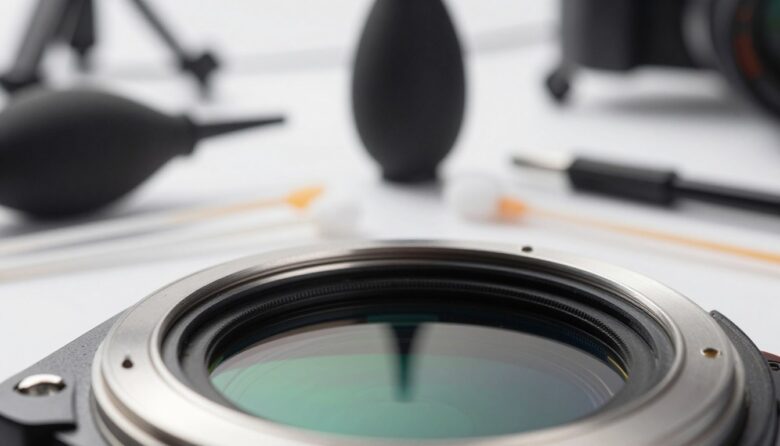
For a non-contact cleaning attempt, keep the equipment simple: the camera manual, a fully charged battery, a clean working area, and a plain hand-operated bulb blower. Buying a comprehensive kit does not mean every item belongs inside the camera.
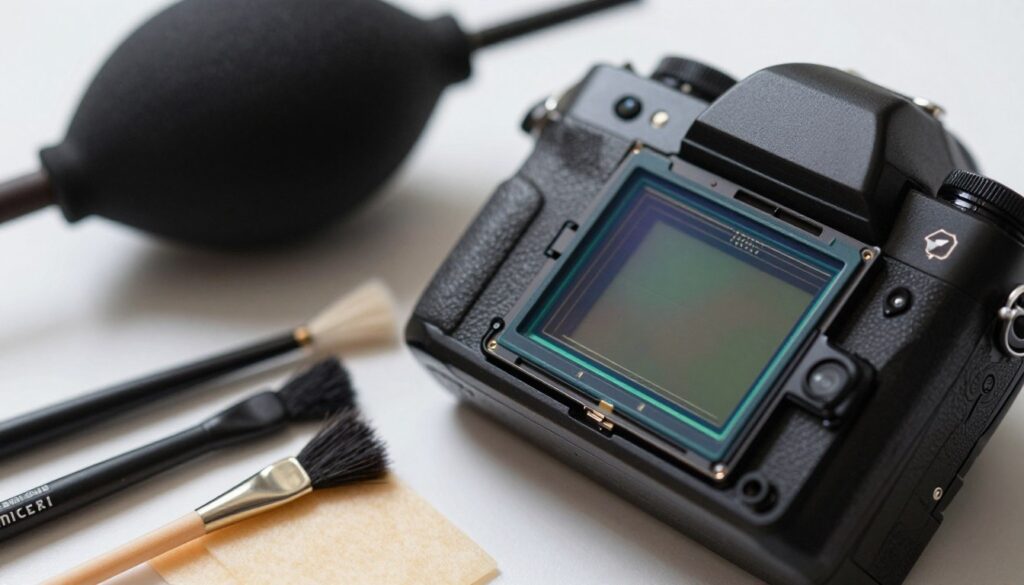
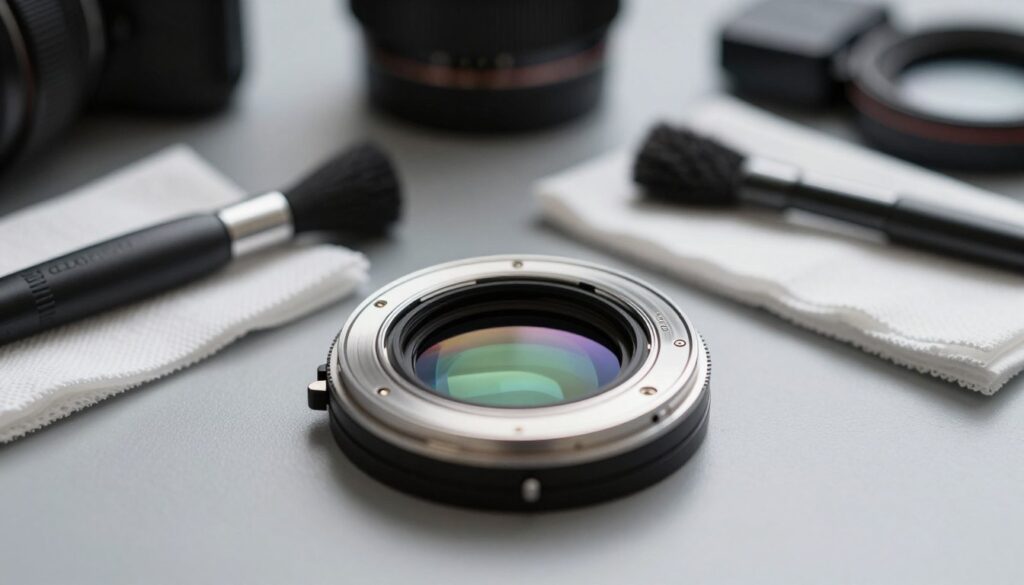
Keep lens and body-cleaning supplies separate from anything intended for sensor contact. Sony’s cleaning guidance assigns brushes and cloths to the camera exterior or lens, while recommending a blower for the sensor and warning against touching its surface.
Items to keep away from the sensor
Do not substitute canned air, an air compressor, a household tissue, a cotton swab, or a general-purpose microfiber cloth. Avoid household cleaners and improvised swabs. Canon specifically warns against pressurized air or gas and brush-equipped blowers in its sensor-cleaning precautions.
- Plain bulb blower: use a clean, brush-free tool and controlled puffs of air.
- Sensor swabs and fluid: relevant only when user contact cleaning is permitted. Confirm the camera, swab, and fluid combination before opening any supplies.
- Inspection loupe: optional, not a replacement for test photographs. Check its fit and instructions before bringing it near the mount; it must not contact internal components.
Do not choose a swab solely because the package says “APS-C” or “full-frame.” Check the exact model against the cleaning-product manufacturer’s compatibility information; Photographic Solutions provides a model-based swab finder. A size recommendation does not establish that the camera maker permits user swabbing.
Step-by-Step Guide: Start Without Touching the Sensor
Read the complete procedure before starting. Work somewhere clean, dry, well lit, and away from fans or drafts. Set out the necessary supplies first so the camera does not remain uncovered while you search for tools. Remove loose exterior debris before detaching the lens, keeping brushes outside the camera.
1. Prepare the camera correctly
Run the built-in sensor-cleaning cycle, if available, following the manual’s positioning instructions. Exit the function as directed and repeat the test photograph with the lens attached. Nikon’s DSLR guidance recommends the built-in cleaning tool as the first step before inspecting or blowing dust from the sensor.
If manual access is needed, use a fully charged battery and the designated procedure. Nikon recommends authorized service for manual cleaning; its D850 instructions also describe blower access using Lock mirror up for cleaning. Following that sequence raises the mirror and opens the shutter. Power loss can close the shutter unexpectedly, so do not substitute an ordinary exposure or mirror-up shooting mode.
Mirrorless does not mean “always clean with the power off.” The Sony α7 IV cleaning instructions specify keeping the camera on during the cleaning-mode procedure. Follow your own model’s power, shutter, and sensor-access instructions rather than assuming another camera’s method applies. Never push a shutter curtain or other barrier aside to reach the sensor.
2. Use the non-contact blower method
Where the manual permits it, hold the camera securely with the open mount angled downward. Keep the blower tip outside the lens mount and use gentle puffs without touching the sensor, shutter, or surrounding parts. Sony’s α7 IV instructions specifically warn against inserting the tip beyond the mount or blowing too forcefully.
Keep all tools clear before ending the cleaning mode, and stop promptly if a low-battery warning appears. Follow the manual’s shutdown and lens-attachment sequence, then make another test image. If the result is satisfactory, finish. Do not automatically follow the blower with a dry swab, brush, or adhesive gel tool.
3. Decide whether wet cleaning is appropriate
Persistent contamination is a reason to reassess, not permission to wipe harder. If the camera maker says not to touch the sensor, stop at the permitted non-contact method and arrange service. Nikon makes this restriction explicit in its sensor-cleaning guidance. The Canon, Nikon, and Sony procedures cited above direct users toward service when blower cleaning cannot resolve the problem.
If the camera manufacturer permits user contact cleaning, follow the compatible kit’s exact instructions. There is no universal “two drops and one pass” rule. Photographic Solutions’ swab guidance, for example, explains that fluid quantity and technique vary with the swab material and size. Do not combine a fluid amount from one kit with the technique specified for another.
- Prepare before opening the swab. Confirm camera access, permission for contact cleaning, and product compatibility. Remove loose dust using the permitted non-contact method first.
- Use a fresh, sealed swab. Unwrap it immediately before use and do not touch its cleaning surface. Discard it if it touches an unintended surface.
- Apply separate fluid to the swab, not into the camera. For kits that require added fluid, use the specified amount. Do not add fluid to a premoistened product unless its instructions require it.
- Follow the prescribed stroke and pressure. Where instructed, make a smooth pass and return using the clean side. Do not improvise repeated scrubbing or force the swab into corners.
- Discard the used swab. Follow any drying instructions, remove all tools, and end the cleaning procedure as directed before reattaching the lens.
The Sensor Swab ULTRA instructions specify keeping swabs sealed until use and discarding them afterward, noting that dirt on a swab can scratch the sensor. The checklist above is not a substitute for camera-specific permission or product-specific technique.
Final check: repeat the reference photograph and compare it with the original. If marks remain unchanged, streaking appears, or anything behaves unexpectedly, stop and seek service advice. Do not keep adding fluid or pressure in pursuit of a perfectly blank test frame.
| Stage | Tool or Setting | Decision |
|---|---|---|
| Check | Attached lens and plain background | Confirm repeatable marks in saved images |
| Automatic cleaning | Camera’s cleaning menu | Retest before opening the camera |
| Non-contact cleaning | Plain hand blower | Use only the model’s permitted access procedure |
| Persistent contamination | Manufacturer guidance or service | Contact cleaning only when permitted; otherwise stop |
Keeping the Sensor Clean Without Over-Cleaning
A useful maintenance routine begins with photographs, not with an open camera. Check for a problem, use the least invasive permitted method, and compare the result before deciding what to do next. Keep the reference images if you need to show a service center what remains.
Keep lens caps and mounts free of loose debris, and cover the body when no lens is attached. For lens cleaning, remove loose dust before wiping, and apply suitable lens cleaner to the cloth rather than directly to the glass, following Sony’s lens-care guidance. A lens cloth is not a sensor-cleaning tool.
Avoid making wet cleaning a calendar-based habit. When marks persist, repeating an unsuccessful technique is less useful than obtaining a diagnosis. Choosing service is a sensible endpoint, especially when access, contamination, or product compatibility is uncertain.
FAQ
What are the first signs of sensor dust?
Look for dark spots that recur in the same positions in saved photographs of plain backgrounds. Check at a small aperture and inspect the full image, as described in Sony’s dust-checking procedure. A viewfinder speck alone is not sufficient evidence.
How does dust reach the image sensor?
It can enter during lens or cap changes. In rare cases, particles or lubricant can originate inside the camera. Nikon discusses both sources in its camera-care instructions. A photograph alone cannot reliably identify the contaminant.
How should the sensor be inspected safely?
Start with a test photograph while the lens remains attached. Only expose the sensor if further investigation is warranted, and use the camera’s documented access procedure. Do not poke a visible particle or move a shutter curtain to identify what is underneath.
What tools are needed for basic home cleaning?
For the non-contact approach described here, prepare a plain bulb blower, a fully charged battery, and the manual. Keep tools clean and ready before opening the camera. Swabs and fluid are not required for a blower-only attempt.
Can a microfiber lens cloth be used on the sensor?
No. Do not transfer lens-wiping methods to the sensor. Sony’s sensor-cleaning guidance warns against wiping the sensor and assigns brushes to the body and lens, not the sensor. Do not blow into the camera with your mouth either.
Does dry cleaning mean using a dry swab?
Not in this guide. The first manual step is non-contact blower cleaning. Do not improvise a dry wiping pass or use a gel tool merely because it is marketed for sensors; establish camera-specific permission and compatibility first.
How many drops of fluid should go on a swab?
Use the amount stated for the exact swab-and-fluid combination. Absorbency and size matter, and Photographic Solutions documents different requirements. A fixed one- or two-drop instruction is not suitable for every kit, and more fluid is not automatically better.
When is authorized service the better choice?
Choose service when the manual directs it, permitted cleaning does not resolve the problem, or access and compatibility are unclear. Stop if you suspect physical damage or encounter unexpected resistance or camera behavior. Keep your before-and-after images to help explain the issue.
How often should the sensor be cleaned?
Use image problems rather than an arbitrary wiping schedule as the trigger for manual home cleaning. Check both a small-aperture test image and photographs made at your usual settings. This does not replace any inspection or service schedule specified by the camera manufacturer.
Can improper cleaning cause permanent damage?
Yes. Nikon warns that the sensor is easily damaged and that damage caused by user cleaning products may require a chargeable sensor replacement. See its cleaning cautions. A cleaning kit’s claims should not be treated as a guarantee that the camera cannot be damaged.
Do different cameras need different swabs?
Yes. Check the exact camera model rather than relying only on the sensor-format label. A manufacturer’s swab finder can help identify the intended size, but it does not establish that the camera maker permits user swabbing. Ask the supplier if your model is not listed.
What helps keep the interior cleaner during lens changes?
Prepare the replacement lens, choose a sheltered spot, keep caps and mounts clean, and minimize the time the body remains uncovered. Do not add an automatic blower session after every lens change; first establish whether cleaning is needed.
Official sources
Technical specifications in this article were checked against manufacturer or official documentation where available.

The GBI LensLab Editorial Team publishes informational guides about cameras, lenses, image sensors, photography workflows, camera maintenance and digital imaging technology. Technical specifications are checked against manufacturer documentation and other appropriate primary sources when available.